Showing posts with label tutorials. Show all posts

Friday, 12 May 2017

How To Create A Free Custom E-Mail Address Like name@Yourdomain.com For Blogs [Tutorial]


Hello, welcome back to Gurusblend tutorial, i promised that i will drop a new tutorial on how to create a free custom email address like name@yourname.com for Blogs, currently people believes that only Google Have the kind of service which is custom email address, though you have to pay, many people find it so hard to pay, and except your Domain service provider provided you a free email forwarding, you cannot have a custom email address. Have decided to put an end to this problem, that's why i wrote this tutorial, please continue reading.

Before we continue, please watch the video below, it shows Demo of how to create a Zoho Mail account with your Domain name. i already have account their, which will make it impossible for me to register for an account again, but it will surely show how to create an account:


The above demo shows how to sign up for zoho mail, you can add more than 2 email accounts.
setting up is very easy, just visit www.zohomail.com has shown in the video, click on Get started, their are up to 4 types of plans, there, we have the free plan,
standard which is $2 per month, Pro which is $5 per month and Enterprise which is $8 per month, if you are planning on using it for Business then  you can set up a standard, pro or Enterprise account, but since it's a personal Blog you just need a free account with up to 25 users maximum, insert your details in the box has shown in the video, it will automatically log you directly into your Dashboard, you will given an HTML CODE to place into your Blogger  blog <head> the same goes for Wordpress users, do as you are instructed, create and customze email as you want and start enjoying.
Read More »

Tuesday, 9 May 2017

How To Start A Music Website In Nigeria [Tutorial]


Hello, welcome back to Gurusblend Tutorial, as you all know, my tutorials are mainly directed to Bloggers but non Bloggers can also read and learn something great.
this tutorial says alot about blogs, that's why this tutorial will be directed to Bloggers who are interested in building a music blog.
their is no much tutorial about building music blog, which gives hard time for newbie bloggers who also want to start a music blog, since they don't get the secret behind music blogs, they do copy and paste, people who download the song from their blog will know they stole it because, the song will promote the blog they copy the song from instead of their own blog. please follow this tutorial patiently.

What is Music Blog?
A music Blog is a website that contains music, people will be able to stream online, play songs and download the song if they are interested in having it on their device. Many Nigerians have been wondering how music site works, if we are to talk of Gurusblend.com, Naijaloaded.com, tooexclusive.com, 360nobs.com and other music blogs, you will surely be amazed at how music works on those websites, what is the secret behind this? we will talk about everything in this tutorial, and also how to make money from music blogs, how to set up music blog on free blogs like Blogspot and Wordpress.

*Features of Music Blog are:-
1. Responsive website/blog design.
2. Music Category.
3. Audio Player HTML code.
4. Songs.
5. Album art.
6. Voice promotion.
7. Free file hosting/download link.

Let's look into how the above features works on music Blogs
1. Responsive Blog design is one of the powerful parts of all blogs, apart from music blogs, responsive design is very useful on all blogs, be it entertainment blogs, news and other blogs, if a blog is beautiful in appearance, visitors will want to check back later for new updates, so i will say design is very very important.

2. Music Category is also an important part of a music blog, for example you give updates on music, but you don't have a music category or page shown on your blog or visible to visitors, if you post music, it's just for fun. So make sure the music category is visible to visitors.

3. Audio Player HTML Code: You will have to add an audio player HTML code to your blog, this will allow visitors to play a song on your blog, listen to it before they download. for that to work, save the following HTML CODE, to a safer place on your computer system:

<center>
<audio controls>
<source src="Music link />
If you cannot see the audio controls, your browser does not support the audio element
</audio>
</center>
4. Songs: The major part is the songs you will be posting on your blog, you must make sure the songs are new, for example: a song was released two years ago, and you just posted it on your blog, you don't have to expect people to download the song because it's old.

Where To Get Songs:
To get songs, you have to stay connected to artists and celebrities on social media, what is instagram and twitter for? if you follow any artist on IG, you will be seeing posts from him or her, so any time he or she releases a new song, they will announce to all their followers, not only that, they will also give download links but sometimes, those songs are always available for sale on itunes, play store, and other music platforms. if you cannot buy the song, then wait for a trusted website to post it. now now download the song and edit.

How To Do That:
Getting music from other music blogs is not easy, because it's rear no to get a non copyrighted songs
these are songs that does not have the number 6 features of music blogs that i mentioned in this article which is voice promotion.
Voice promotion is cool on songs, it will continue to advertise your Blog anywhere the song was played, for example if you download songs from Gurusblend.com, anytime you play the song you might be hearing a background voice saying "hot music at gurusblend.com". or "Hot Picks At Gurusblend.com". and also on Naijaloaded, you will be hearing Hot Music At Naijaloaded.com, that is called "voice promotion."
I will teach you how to do that in this article, before you download the song you want to post, listen to the song, because if their is another blog's voice promotion on your own Blog visitors will know you stole the song from another blog, and that will spoil your reputation.

5. Album Art: this is very important on music blogs, because if visitors download songs from your blog, anytime the song is played, their will be a cover image that will be showing on the song. Let's say you downloaded a song from gurusblend.com, if you play the song it will display an image that says "HOT PICKS AT GURUSBLEND.COM" and all links to our social media pages. doing that is very easy, many people thought it is hard to do that but trust me have found an easiest way to do it.

What to do:
Design your prefered image, you can use corel draw, but if you wish to do it online, visit www.bannersnack.com, then sign up using your facebook account or google account to speed up your activation, design an image their, preview and download it.

Why Bannersnack?
Bannersnack is the most easiest graphic design platform on the internet i knew, all what you need is already there, you just have to select the one you want and add it to your image, you can also create a flashy image and an animated image.

NOTE: if you are using bannersnack free account, if you download the image, you will see a clean bannersnack logo at the down right corner of the image which means nothing is for free.
What to do:
just use any screen capture application you have on your computer, if you don't have, i recommend you to get one, but before that, if you are FLASH PEAK SLIMJET BROWSER, just click on the menu button at the top right corner, scroll down to capture screen, click then capture the exact image and save to your computer.

NOTE: To get a music logo suitable for your blog with quality design. transparent image in PNG format that is also useful blog favicon send a whatsapp message to +2348144010711 or send a direct message to me at toluowoeye@gurusblend.com, info@gurusblend.com or chat with me on my facebook account facebook.com/toluowoeye1.

HOW TO ADD ALBUM ART:
After getting the song, let's say you get the song from gurusblend.com, here is an example for Pepper Dem Gang by Olamide and Davolee, the music title will be as follow: Pepper Dem Gang || Gurusblend.com and so on.
what you just have to do is to remove Gurusblend.com and add your own.

How To Do That:
on your computer, click on the song, right click, from the page that follows click on properties, navigate to Details, you will see everytrhing there after editing save. open your windows media player. Drag the song to the player, make sure windows media player is on the lust of all songs to avoid the song playing, drag the song to the playlists.
*Go to where the image you want to use is, drag the image to the media player play list, drag the song to the top of the song and release your mouse, the album art will change fromcthe formal to do the new image you just added.

6. we've say much about this before, i will just tell you how to add your "voice promotion" to your songs. many music Bloggers go to the studio to do their own recording. but that's somehow costly. so no need to do that, just follow the steps here, you will know how to do it and start doing it for people.
Step 1: get a text to speech software
text to speech can help you do the job successfully
download a text to speech  application to your computer, search it on Google for free downloads.
after that type the text you want to convert, e.g hot music at your site.com, convert, change voice, select speaker , do it to your own taste and save.
open virtual DJ,add the song to the left player and the promotion to the right player, do it as you want and save.
NOTE: add voice promotion before adding number 5 Album Art.

7. file hosting: this is the site that will host the music and allow people to download it, i recommend cloudup.com, use your twitter account to sign up, upload your song and add it to your blog.

WAYS OF MAKING MONEY
1. monetizing
2. affiliate marketing
3. sponsored posts
4. music promotion
5. paid promotion
6. direct advertising

like this tutorial? please don't forget to drop your comment...
Read More »

Sunday, 23 April 2017

No More Hard Time For Story Writers!! Authors, Start Making Money From Your Stories.. [Tutorial]


Yes!! No more hard time for story writing  again!!! This another edition of Gurusblend Tutorials will help Authors alot...
My name is Tolu Owoeye, Am a Blogger and also a story writer, though my stories aren't that popular but am still making cool cash from them based on number of readers. well am here to teach all my fellow writers how am doing mine.
Though the fact remains that if you are an Author or a story writer, you have to create fame for yourself, be it physical or on social media, you can start writing your story alongside creating fame for yourself, You just written a nice story, the question is: will you release the story for free? i Guess that's where the real problem is.

What to do?
On your social media page, be it facebook, twitter or your Blog, post the story once in a while, don't forget to add price tag, let them know the story is available for purchase, as time goes on, you will see some loyal followers who will be longing for your story, they will be asking you for price, off you go!!! 😀😀
 To make some cool cash while doing that, sell the story to story blogs out their, let me give you some sites
1. Okadabooks.com
create an account using your email address or sign up using your facebook account, just add your story, give it a tiltle, then add your price... Don't forget to direct people to the story link, always attach it to your social media accounts.

2.try onihaxy.com, cassavarepublic.biz, google search for more sites,

Start Enjoying!!!!
Read More »

Sunday, 16 April 2017

Want To Become A Successful Blogger? Why Not Try This Monetization Platform?


Welcome back to Gurusblend Tutorial, my name is Tolu Owoeye. It is not a news anymore that Google Adsense is the best monetization platform out there. However, their approval process is strict which gives hard time to Bloggers who are trying to monetize their website with Google Adsense.
If you are one of those Bloggers, then i don't need to tell you anymore what Google Adsense Alternative is. Another monetization platform is Propellerads. They pay with dollar, you will surely get approval as long as you have a custom domain address.

Propellerads

Propellerads offer two major advert type which is 1. pop up 2. Direct Advert.
just sign up with your email address, you are done!!!!
please share this tutorial......
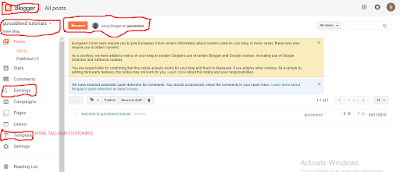
Read More »

Friday, 31 March 2017

Want Best Paying Sponsored Post Website For Your Blog? Try This [Tutorial]


Hello, welcome back to my tutorial, First Time? You are highly welcome! my name is Tolu Owoeye, You might have been trying to add sponsored posts to your Blog to maximize your earnings, am here to give you one..

What is Sponsored Posts?
Sponsored posts are series of posts added to your Blog by an advertising company. I really don't know the best paying company between Taboola, mgid and content.ad.
But if you are a newbie blogger, i will advice you never to try this three because you will surely be diappprove. Reason is that they don't produce sponsored posts to site that does not have at least 3,000 page views per day. I bet it, you can't meet their demand.

I recommend you to try this one:
 Adnow.com is another best paying sponsored posts site i can figure out for low traffic blog/website.
if you have a custom domain address, and have a good blog design, approval is 90% sure.

What to do?
Just visit their official website,click on publisher account, sign up, confirm your account on your email. create your sponsored posts, select number of posts you want, select height, select width and save. that is it. Enjoy.
Read More »

Thursday, 30 March 2017

Have You Thought Of Becoming Nairabet Partner? Let's Do It Now [Tutorial]


Hello, Welcome back to Gurusblend Tutorial, My name remains Tolu Owoeye, easily just call me "Lowkey". Here is another tutorial for bloggers, let's start now.

Nairabet is one of the most popular football betting site out there, yes if you are a Nigerian and you don't know what Nairabet is, even if you don't play it, then your case is OYO😂😂
Many people thought, those playing Nairabet are the only ones that makes money from it. If that's your thought then you are surely missing alot.
I don't play Nairabet, but i do make alot of money from my partnership with them, how is that done? just continue reading.....
TO BE CONTINUED...
My Job?
Am just a business partner, to become Nairabet partner is so easy. You place their ad banner on your blog, when people click on it, sign up, play games, you earned, 😉😉 That is it. I know you should have been asking me by now how to become one...br />Their is link on their official website that leads to their Affiliates website, I guess.. that's another top secret revealed.... TO BE CONTINUED
Read More »

Thursday, 23 March 2017

REVEALED: Another Money Making Website, 100% Guaranteed [Tutorial]


Yes! Yes!! Yes!!! welcome back to my tutorial, if this is the first time you are reading my tutorial, then you are highly welcome.
       My name is Tolu Owoeye, you can read more of my tutorials on the tutorial page on gurusblend.com. Need any help on Blogging? please kindly contact my Blogging Service.
Well am here with another fantastic tutorial that contains a fantastic way to make real cash on the internet, it's 100% free, easy, reliable, and 100% guaranteed.
This is one of the greatest way to make money on the internet, as you all know, nothing goes for free, you will have to work before you can earn, it is not a stressful job, you can work per time or full time based on how busy you are.
I know you should have been asking for the proof, i should have shown you the proof, but someone just pushed me to do this tutorial, i was just paid $20 through my payoneer account. If you believe, then it's for your own good.
the name of the website is clixsense.com, if this is the first time you hearing about the site, then  congratulations because you just found a key to a bright future, and if you've heard about it before thinking that it's a scam, i beg you to please re-think...😉😉😉
What is the site all about?
Site is a free survey site, you complete tasks, complete offers, click on advert and get paid instantly. it's 100% guaranteed.
What you need to do:
just sign up now, to do that click here
or click on the image below


You will surely thank me later
NOTE: make sure you have a payoneer account, if you don't you will see sign up option for payoneer account after registering your account on clixsense

see you later, please make sure you drop your comment below😮
Read More »

Tuesday, 21 March 2017

How To Start A Music Website / Blog In Nigeria [Tutorial]

Hello, welcome back to my tutorial, As you all know, my Tutorials are mainly directed to Bloggers, but non - Bloggers can also participate so that they can learn great things...
this tutorial also says alot about Bloggers particularly those who are having hard time on starting a music website.
what is a music Blog?
A music blog is a website that contains music, people can download songs from those website, they can also play songs on those websites..
Many nigerians having wondering how music site works, if we are to talk of gurusblend.com, 360nobs.com, naijaloaded.com, tooexclusive and many other music Blogs, you will surely be amaze at how music works on those websites..
Foe newbie bloggers who are interested in building music blogs or bloggers who are having hard time on setting the Blog up, don't worry, my e-book will solve all your problems
the eBook explains how to add music category, audio player html code, where to get songs, how to add album art or cover image of your site to your songs, how to add voice promotion and how to add download link to your blog.. how to make money from music blog and more.
Currently, the e-book is available for the first 10 buyers at the rate of N300 each, after that, the e-book will be availabe at the rate of N500 each. What are you waiting for?
you can get the e-book by calling this number 08144010711 for nigerians, for other countries, Call +2348144010711 or send a detailed message to info@gurusblend.com
mode of payment: Owoeye M. Tolulope
Account Number: 0208849091
Bank: Guaranty Trust Bank (Gtbank)

Note: Please call or send a text message before sending your payment, we will send the e-book to you as soon as your payment is received..
Read More »

Saturday, 25 February 2017

How To Add An ADVERTISE HERE Banner To Blogspot Website [Tutorial]


Hello everybody, it's been a long time since our last tutorial, so nice meeting you again....
today's tutorial, we will discuss basic details on how to add an ADVERTISE HERE banner to Blogspot website or Custom Domain Website, but let's discuss how the banner works.

An ADVERTISE HERE banner shows your Blog visitors that their is an ADVERT SPACE available, when you add this feature to your Blog, if any Blog visitor click on it, it will automatically take you to a page you've created before that contains information on Advert on your site...
to do this: on your computer, press the right click button, then save the ADVERTISE HERE image below to your computer, make sure you know the exact location.
now go to Blogger dashboard, click on new post, drag the image there, now click on Link at the above icons on your Post page
link the image to the advertise here page you've created on your website before, to copy, just go to the ADVERTISE HERE page you published before, after that switch your compose to HTML from your post page, now copy the HTML code and paste anywhere you want the banner to appear on your site and view your Blog, that's all

DOnt forget to share

Tolu Owoeye
Gurusblend, Tolu Owoeye Blogging Service
Read More »

Saturday, 4 February 2017

Start A free Website With Wordpress [Tutorial + Video]


Hello, you are welcome back to gurusblend tutorials, i recently shared with you how to start a free Blog or website under Blogger, i have also shared so many tutorials on Blogger. in case you missed those tutorials, click here to read, some people  are not interested in Blogger free website, so, if you are one of those people kindly follow this tutorial..
Before we start, please watch the videos below:


well, you ought to have understand this now, if you still did not get it, please kindly watch the videos again.
the tutorial will continue on how to design customize and add a custom domain name to the site.
thanks for reading....
Tolu Owoeye
TOLU OWOEYE BLOGGING SERVICE
Read More »

Monday, 30 January 2017

Start Making Money On Your Website With Affiliate Marketing [Tutorial]


Hello, welcome back to Gurusblend Tutorial. Many people have been asking me various ways to make money, so i dedicated this post to them. please follow this tutorial patiently...
Now that you've created a website, how do you make money from it? There are at least two ways in which sites can make money:

2. Selling Goods and Services

 In this article, I will address the issue of how your site can actually make money from advertising.

Making Money From Advertising
If you look at many websites, you will probably notice that there are banner advertisements displayed on most pages. If you are a newcomer to the scene, you might think that you must either be a company or that your site must be famous before you can get advertisers, just as it is the case in hardcopy publications.

In reality, anyone with a website can get advertisers. While it is true that if your site is well-known, you may get companies contacting you to offer to advertise on your site, you can get advertising revenue even if you are just starting out and your site is relatively unknown.

The way to do this is to join as an "affiliate" of various companies or sites, either directly, or through an affiliate network. An affiliate network is simply an intermediary with whom you can sign up to get advertisers (as opposed to dealing with individual companies separately).

Affiliate Marketing Offers Pay Per Sale

Pay Per Sale or Lead (sometimes referred to as Cost Per Action, or CPA)
While you will probably get the highest payment rates with this method, it has the lowest conversion rate of the three schemes. You will only earn if your visitors click through the banner and either purchase an item from the advertiser or take some other prescribed action (eg, sign up for a service). Like the Pay Per Click method, you get much better results if you carefully select your advertisers to suit the target audience of your site.

In general, to avoid wasting resources in issuing cheques for very small amounts, advertisers will usually accrue the amount owing to you until it reaches a certain level (such as $25) before they pay you.

How To Choose An Affiliate Program
How should you choose an affiliate program? My suggestion is not to choose a program according to the payment scheme, but rather according to the kind of people who are likely to visit your website. For example, if you are targeting parents on your site, links to affiliates with educational software, books and the like may generate more revenue than banners that link to web hosting companies. The most important rule of choosing an affiliate program is to know your target audience.

Another point to consider is whether you really want to join every single affiliate program that comes your way. Some studies suggest that sites that make the most money from affiliate programs are affiliates of only a small handful of programs. Furthermore, concentrating your advertisements from one network may allow you to be paid faster. If you advertise for hundreds of different affiliate networks on your site, you may end up earning only (say) a few dollars per month from each network. If your advertiser's minimum payment amount is higher than what you can earn each month, it may take you a long time before you accrue enough to be paid.

On the other hand, that formula does not necessarily hold true for every site (or every page on your site, for that matter). For example, if your site has a particular theme, and an affiliate network only supports one or two suitable advertisers, you might want to sign up for a few affiliate networks so as to get a greater number of relevant advertisers. After all, advertisements that are relevant to your audience are more effective than general advertisements. (What's the point of putting banners from only one affiliate if nobody is going to click them?)

Lists of Affiliate Marketing:
their many affiliate marketing programs, however you can choose one below or sign up for all:
you can search for more affiliate programs or better still try one of the affiliate programs above..
thanks for reading
Tolu Owoeye
Read More »

Friday, 27 January 2017

How To Add A Social Media Follow Icons To Blogger Blog Without Coding [Tutorial + Video]


Hello, welcome back to Gurusblend tutorials, many Bloggers have been facing problems in adding social media follow icons to Blogspot website, above is an example of social media follow icons, before we start, let's discuss what social media follow icons are all about.
Social media follow icons connect your Blog to your Blog's social media account, example:
my web address is www.gurusblend.com,  so my social media address are facebook.com/gurusblendofficial, twitter.com/gurusblendites, instagram.com/gurusblendofficial, so if you click on any social media button on my website, then it will lead you to any of the social media address below. let's get back to work....

Creating a social media follow icon on Blogger is not easy without HTML, CSS and JAVA SCRIPT knowledge is not easy but you can make it easy for yourself, so follow this tutorial patiently....
 Go to Blogger.com dashboard, go to post then click on new post, exacly what you do when you want to post
NOTE: MAKE SURE NOT TO CLICK ON PUBLISH THROUGHOUT, HOWEVER YOU MAY SAVE.
now Download your button on findicons.com, save it to your computer, then click on image at the top of of the page, just the way you upload image, do it one by one, watch the video below for clear illustration:

If you are still having difficulties after watching the video, then copy the code below and edit the part USERNAME, and paste it on your site html 

Gurusblend Sample code

<div class="separator" style="clear: both; text-align: center;">
<span style="font-size: xx-small;"><a href="http://facebook.com/USERNAME"><img border="0" src="https://blogger.googleusercontent.com/img/b/R29vZ2xl/AVvXsEhrLuA2jBCL_Bh3TnUzJaCp66CXqxvlxvlO-v2f1yfMMvO1Fc7cZwOJPu0QQWKtkWvAmMKVnpO8ffuA1n_cQGl742CJFsR81mgk8CS-Y66s3wAzFgJsE0_QDa1i7dd0o0Y0Ra6XYl64lLYz/s50/facebook.png" /></a><a href="http://twitter.com/USERNAME"><img border="0" src="https://blogger.googleusercontent.com/img/b/R29vZ2xl/AVvXsEiL7LCDMo96g9Z3oPxKFMvw_Ow0tQ9jIIJNdeA0qdE2RmUXuWStxcCLruZ0PZVCBbeN4-Vg5Iv_vbIUqtBGt8MmZBDz-XifCTBBja2a6U5Ks4A6Jg39BJ_uVZoztPun4-1dWFjp8o_fbO-M/s50/twitter_15.png" /></a><a href="http://instagram.com/USERNAME"><img border="0" src="https://blogger.googleusercontent.com/img/b/R29vZ2xl/AVvXsEhCOpQyXECBjupFzChS4iad0ct07-PKnrFfUMZ_zj-OWZXm1HyaxHeUbBk_K9Z0zphf11Pgqk-AIJaH1LolvFvc3cLiCjEi_rByLWmba0_15uZiGjZRpOrJeqAO4mAgvqTt7KoWtBesNI2j/s50/instagram.png" /></a></span></div>
that's all, you can use that magic, million times. thanks till another time
Tolu Owoeye
Read More »

Saturday, 21 January 2017

How To Change Blogspot Website favicon To Your Own Desired Image [Tutorial]


blogger

Welcome back....
many Bloggers have their own Image for Their Blogs, so they decided to make their Blog Not look like Blogspot website, so here is something you should take care of on your Blog, Blog Favicon....
A blog favicon is a small image beside your blog address and title on every Blog visitor's browser, below is and example of default blogspot website favicon and my website favicon:


#BEFORE

#AFTER
I guess you all now know what a favicon looks like, though many Bloggers prefer the default icon, but their are some Bloggers that are not in love with the icon, they actually want another image, incase you want to change the favicon please follow this steps..

Go Blogger Dashboard → Layout, at the top left corner you will see Favicon, click on Edit and change it to your desired image.
Note: Image must be a square image in Pdf or Jpeg form
#Goodluck, see you soon..
Tolu Owoeye


Read More »

How To Manually Add Category Pages To Blogspot Website [Tutorial]


hello, welcome back to my tutorial, if this is the first time you are reading my tutorial, then you are highly welcome, to read more of my tutorials, click here, on this tutorial, i will teach you how to create a category page for your Blogspot website.
Blogger doesn't have pages for your categories, like gurusblend.com/music for my Blog music page, but you can do that manually by adding label(s) to anything you posts, see the image below:

Now, view your Blog, then view your labels, it's always at the sidebar, see the screenshot below:

after copying, the link will look like this:

Gurusblend Sample code

http://www.gurusblend.com/search/label/entertainment?&max-results=10
Note: for Blogspot website, yours will be http://your-blog-name.blogspot.com/search and so on, so no much difference.
after copying the link, go to your Blogger Dashboard → Layout, see the image below:

from the page that follows, click on Add External Link, see the image below:

paste the link on the pop up page that follows, and save, do that for all the pages you want, click on save and view your Blog.
#Goodluck
Tolu Owoeye
Read More »

Promote Your Free Website For Free On ADBLABLA [Tutorial]


Hello guys, welcome back to Gurusblend tutorials, If this is the first time you are reading my tutorial, then you are highly welcome.
Nowadays, getting visitors is not easy for Bloggers, their are many ways of advertising your website, though it's costly, you can advertise your Blog posts, you can create a Banner, But all is on one thing, and that is money.
With this, am hereby introducing a free advertising company, where you can advertise your website for free, Named ADBLABLA, Firstly let's see how ADBLABLA works...

Adblabla is a free advertising company where Bloggers swap Ads, your Banner will show on my Blog and mine will show on yours. as ADBLABLA's motto 'Let's Swap Ads' Bloggers swap ads, below is an example of ADBLABLA Ad:


Their are two forms of advertising on Ablabla
1. advertise your Blog or website generally
2. advertise your Blog posts

you can advertise your Blog posts By adding other blog posts from adblabla to your website, the same goes with the advertise your blog generally

here is the screenshot of my report on Adblabla for the past 7 days:

So, Adblabla is simply a swaping ad site, as you can see, i have placement, and also ad, placement impression, Ad impression, my credits, credits earned and credits spent.
Note: the credit is the amount you earned and the amount you spend on adblabla, the credit is not what you can collect, other blog advert will show on your Blog, the impression will start counting, and your ad banner will show on other Blogs, when you exhaust your credits earned, your ad will stop showing on other blogs until you have credits again, Guess you understand what am saying?

Now here is how to start promoting your site on ADBLABLA, visit their official website adblabla.com or click here, after that sign up, to reduce too much effort, sign up with Facebook, click on log in with Facebook.
This how your Dashboard will look like:

From the Placement, you can get Ad code That you will paste on your site, and on the My Ads, you will submit your Banner. 
To center the Banner on your website, Add the code below:


Gurusblend Sample code

<center>
→YOUR CODE GOES HERE
</center>
click on save, you are done.....
Tolu Owoeye
Read More »

Thursday, 19 January 2017

Start Making Money On Your Free Website With NAIRAPP [Tutorial]


Hello, welcome back to my tutorial, i recently shared tutorials on how to start making money with Google adsense and Adquet, you can start monetizing your blogspot website with Nairapp, and also the good news is that Nairapp pays in Naira.
Below is an example of what Nairapp Ad looks like on your website:


If you know very well how to monetize your site, you can make thousands of Naira on Nairapp, Nairapp offers different types of Banners, they also pay on PPC, CPC and CPM.

Here is how to monetize your website or Blog with Nairapp, visit their official website, Nairapp.com or click here, after that, click on sign up or Register, select publisher, add your personal details, your web address, and register, confirm your email address and you are done, don't forget to add your Bank details, your Billing information and set your minimum withdraw..
Get started by clicking on a banner size, customize it as you want, click on get code, copy the code and paste it anywhere you want on your website, you can center the ad by putting this code on it:

Gurusblend Sample code

<center>
→YOUR CODE GOES HERE
</center>
and save
#Goodluck
Tolu Owoeye

Read More »

How To Start Making Money From Your Free Website With Adquet [Tutorial]


Hello, welcome to Gurusblend tutorials, my name is Tolu Owoeye, Recently i shared with you on how to start making money from your website with the best advertising website 'Google Adsense' if you missed the tutorial, click here to read
today, am gonna share with you how to start monetizing your website with another google adsense alternative. On my last tutorial on Google Adsense i explained that Google Adsense approval is not easy, but you may be wondering on other ways of making money from your website, so here we are sharing with you another monetizing platform called ADQUET.
You can start making money from your website with Adquet by signing up a publisher account with them, so sit back and enjoy this tutorial..

ADQUET has alot of banners, but the one am using is the leader board banner and the mobile banner, see images below:


Adquet offers PPC, CPC and CPM respectively, if you know very well how to monetize your website, you can make alot of money on Adquet, here is how to start:

visit Adquet website, click here to do so,  now sign up, confirm your email address, create your adcode, get the code and place it on your website, you are done, don't forget to update your profile, add your bank account details and set your minimum payment, that is it....
#goodluck
Tolu Owoeye
Read More »

Thursday, 12 January 2017

Fiverr!!! The Money Making Website [Tutorial + Video] Part 1


INTRODUCTION

Fiverr is a marketplace where users buy and sell products and services worth $ 5. There are many sites similar to Fiverr. Fiverr users provide a wide range of services and products. If you look closely, you’ll find plenty of options for things you need on a regular basis, or websites and blogs. The first thing to get started on fiverr is to join the network by visiting their website http://www.fiverr.com and click on Join and enter your email address.

Recommended for you: See how to earn #3 million per month on the internet without too much work

Before we start please watch the video below:


After clicking on continue, you will have to enter your username and password. Here you can select any username and password of your choice and then click on join. Please note that immediately you click on join, a verification link will be sent to your email box, so you have to login to click on the verification link before you can continue with your fiverr business.


After confirming your signup, their three things you have to do, watch the video above for more info
The first task is to set a security question. You will be asked to provide the answer to your security question whenever you want to withdraw money or change your password so put an answer you will remember.

The second task is the most important but let us look at task number three which is where you will have to upload your photo and write something good about yourself. Everyone knows that a profile is where we have information about ourselves like the when you started internet business, the packages you are into and so on. After completing number three task then go back to number two and click on create. This is where you will create the service you are rendering on fiverr.

The third task iswhen you click on create a gig ,it will display the page where you will have to create the service you are endering starting with the title of the gig.

NOTE:A gig is a piece of information you are giving out or 5 dollars.

This tutorial will continue on how to create a gig worth 5 dollars to 100 dollars on fiverr...

Before the tutorial continues, anticipate on what you will be earning on fiverr, when converted to naira...
1 dollar = 500 naira as of november 2016
now let's do a small calculation..
1 dollar = 500 naira
500 naira x 100 dollars
that is: 500 x 100 = 50,000
so, if you earn upto 100 dollars on a gig, that means you earned 50,000 naira...

Read More »

How To Start A Free Blog Using Blogger [TUTORIAL + VIDEO]


UPDATED: FOR THOSE THAT MIGHT HAVE MISSED THIS

It's very easy to create a free blog, this tutorial will help you to create a free blogspot website to share your view with your blog readers. before i start, let me explain to you what a blog means.

A blog is a web url where you share your views on entertainment, news, tutorials and many other things with your blog readers, you can also make money from your blog by connecting your free blog with google adsense, see the photo below:

Thats the earning tab on your blog, if you are dedicated to your blog, you can earn upto $2,000 per month, wasn't that great?
now lets get started, firstly, you have to generate blog url that no one have been using before.

Note: if you want to use a free blog, your web address will be under your hosting website, if you are planning on using blogger, your web address will be your-domain.blogspot.com
e.g: gurusblend.blogspot.com, and if you want to use wordpress, your blog address will be your-domain.wordpress.com
e.g: gurusblend.wordpress.com


wasn't that so crappy? yes it is, it is very much pretty to use a custom domain like your-domain.com
e.g: gurusblend.com
but that is a story for another day
this tutorial is for two people, the lazy ones and the other ones, if you want more information, i mean more information in video form, then watch the video below:


Yes, am done with the lazy ones, that is it, very easy, now for the other ones, lets continue the tutorial
1. on your browser, visit www.blogger.com or click here, don't worry it will open in new tab.
2. make sure you've signed in to your gmail account.
3.then follow the steps one by one, select your display name, mine is mrmelowkey (any time you post on your blog, your display name will appear as the poster) check the photo below:

4.after, you've select your display name, it's time you give your blog a relevant address and title.
note: when you are selecting your title, make sure your title is not different from what you planned to use your blog for, e.g: you are about to run an entertainment blog, but you are giving a tourism blog title, it doesnt make sense.
then select your blog address, before i started using a custom domain name, i was using gurusblend.blogspot.com, but now am using gurusblend.com


5. The next thing is to publish your blog, check the video above to know how to start posting on your blog and how to customise your blog

in the next video tutorial, i will teach you how to edit and change your blog's html tag, and what html means
until that time stay glued to gurusblend.com, you can also like us on facebook by clicking here
please subscribe to our youtube channel, thanks for following us

compiled by
CEO Gurusblend


Read More »

Saturday, 7 January 2017

Start Making Money On Your Website With Google Adsense [Tutorial]


Welcome back to gurusblend tutorial, hope you've missed me? well, Happy New Year to you all.
today, my tutorial will be how to start making money on your website with the best advertising company GOOGLE ADSENSE

Google adsense is the best paying company, many are striving to partner with them, as a result, approval is very strict, but if you are lucky, they can approve your website.
if you look at my website very well, you can see that their is no google adsense advert on it, am not monetizing my website with google adsense but am still making alot of money which i will show you later. firstly let's look into how google adsense works...

For millions of people web sites are the major source of income. Thanks to the various ways to monetize a site, it is possible to make a living as a web master. However, this doesn't mean that every web master is a millionaire. Well, if you know how to monetize your web site, you might not get rich but at least chances are that under the worst possible scenario, you will be able to cover your hosting fees and the other expenses you make for your site.
Currently the most profitable ways to monetize your site are CPM ads, CPC ads, CPA ads, direct sales of ad space, and selling merchandise/goods/services. These ways are described in this article.

CPM ads (an abbreviation for Cost Per Thousand) is the oldest type of site monetization. You put banners on your site and advertisers pay you based on the number of unique impressions/page views your site has.

CPM ads are the easiest form of site monetization because they require almost no effort on your side, but they are also the least feasible because as a rule (unless you have really high traffic and your audience is well-targeted), the rates are low. Some CPM ad networks pay as low as $.05 per 1,000 uniques, which means that you need millions of visitors in order to make $100-200 a month.

Popups and layer ads pay a bit more ($.5-2 per 1,000 uniques/pageviews). They could bring you a few dollars a month but many visitors find them especially irritating and this is why many web masters are not willing to put popups and/or layer ads on their sites.

There are high-paying CPM ads – for instance ads paying $2-5 per 1,000 uniques but usually the networks that run them have very high traffic and quality requirements for the sites that are eligible. As a result, it is very hard to get into these networks and take advantage of these well-paid CPM ads.

There are many CPM networks we can recommend. For sites with lots of traffic the choice better and some of the good options are Advertising.com, TribalFusion, CasaleMedia, and ValueClick because there CPM rates are good. AdBrite, AdToll, Right Media, and BurstMedia are also good. Some of these networks are CPM-only, while others have other types of ads as well. Google also has CPM ads, so you may want to try them.

here is an example of a google adsense account which am using for my youtube video and my android app:

To get started visit the google adsense official page, http://google.com/adsense, then fill the information as stated, wait for approval, if you are lucky you can get approval, 

NOTE: if you are using a blogspot website, visit the Earning tab on your blogger dashboard and fill the information as stated, you can not sign up on google adsense with a non custom domain website. take note

hope this tutorial help you, don't forget to drop your comment....

Read More »